" height="28.235345940422295px" id="q9sQ2kzlE" transform="translate(0 0.38)" width="29.999999345730185px"/></svg>)

WalkFund
Behavior-driven Micro-Savings Platform
WalkFund
Behavior-driven Micro-Savings Platform
WalkFund
Behavior-driven Micro-Savings Platform
Turn everyday movement into visible financial progress.
Turn everyday movement into visible financial progress.
WalkFund explores how small daily behaviors can create more engaging and sustainable saving habits in walkable cities.
WalkFund explores how small daily behaviors can create more engaging and sustainable saving habits in walkable cities.
• Led product strategy, UX, and visual design for a 0→1 concept
• Led product strategy, UX, and visual design for a 0→1 concept
• Designed a savings system powered by everyday walking behavior
• Designed a savings system powered by everyday walking behavior
• Created mobile experience across tracking, saving, and rewarding
• Created mobile experience across tracking, saving, and rewarding
Role
Role
Product Designer
Product Designer
Timeline
Timeline
12 Weeks, 2025
12 Weeks, 2025
Team
Team
1 Product Designer, 1 PM
1 Product Designer, 1 PM
Contribution
Contribution
XFN collaboration, User research, Prototyping, Interaction design, Usability testing, UI Design
XFN collaboration, User research, Prototyping, Interaction design, Usability testing, UI Design
Problem
Problem
Hard to save money for: Insurance? Travel goals? New products? ...
Hard to save money for: Insurance? Travel goals? New products? ...
After online surveys, we found that:
After online surveys, we found that:
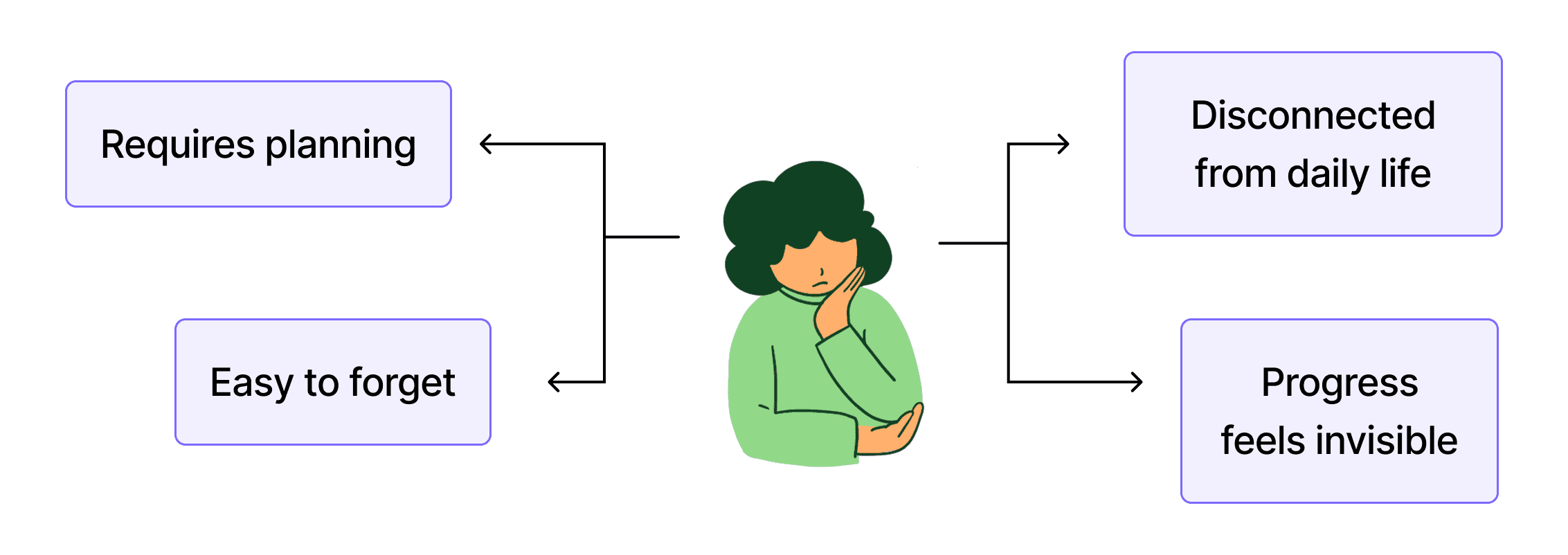
People want to save money, but saving often feels disconnected from daily life.
People want to save money, but saving often feels disconnected from daily life.
People want to save money, but saving often feels disconnected from daily life.
Research
Research
Across 6+ user interviews, we uncovered:
Across 6+ user interviews, we uncovered:
Across 6+ user interviews, we uncovered:
• People respond better to small, visible progress than to large financial goals.
• People respond better to small, visible progress than to large financial goals.
• Saving feels easier when it becomes part of existing movement routines.
• Saving feels easier when it becomes part of existing movement routines.
Market Observation
Market Observation
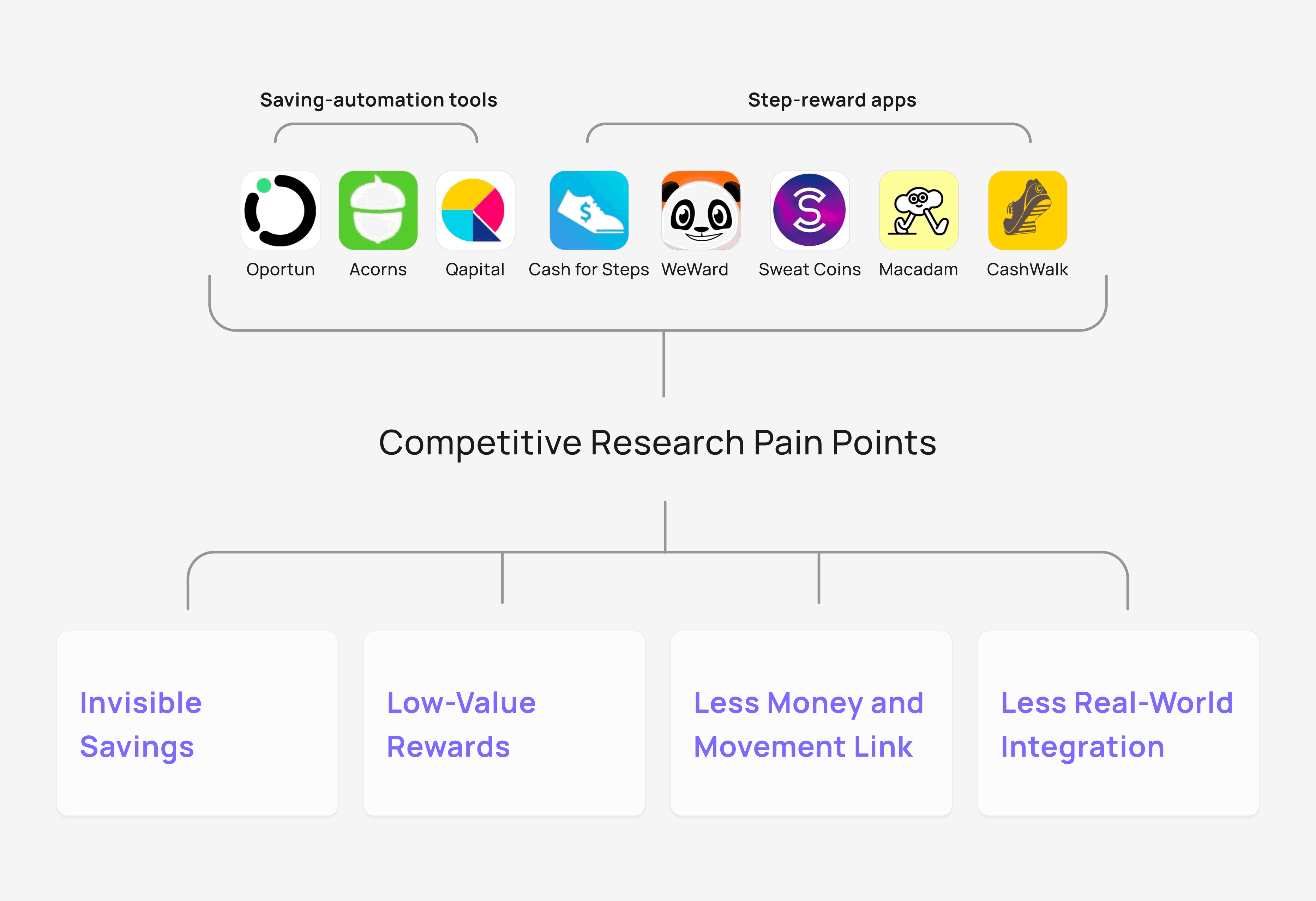
Existing products reward movement or saving separately, but rarely combine both into a habit people can sustain over time.
Existing products reward movement or saving separately, but rarely combine both into a habit people can sustain over time.
Existing products reward movement or saving separately, but rarely combine both into a habit people can sustain over time.
• Automatic saving is already a mainstream financial behavior.
• Automatic saving is already a mainstream financial behavior.
• Walking reward apps (Sweat Coins) have attracted 150M+ users globally.
• Walking reward apps (Sweat Coins) have attracted 150M+ users globally.
How might we connect walking and saving into a sustainable habit loop?
How might we connect walking and saving into a sustainable habit loop?
How might we connect walking and saving into a sustainable habit loop?
Walking =
Behavior + System + Rewards
Walking =
Behavior + System + Rewards
If every 1,000 steps saved $1 each day, you would save thousands per year for insurance or travel goals.
If every 1,000 steps saved $1 each day, you would save thousands per year for insurance or travel goals.
If every 1,000 steps saved $1 each day, you would save thousands per year for insurance or travel goals.
WalkFund explores how saving behaviors can become easier to sustain when connected to actions users already perform naturally.
WalkFund explores how saving behaviors can become easier to sustain when connected to actions users already perform naturally.
Why are 1,000 steps = $1?
Walkable city residents average ~1,300 more daily steps — Walking Insight Report in NYC, making 1,000 steps an achievable milestone for most users.
Walkable city residents average ~1,300 more daily steps — Walking Insight Report in NYC, making 1,000 steps an achievable milestone for most users.
Starting at $1 makes progress easy to understand. (The savings rate is adjustable based on personal goals)
Starting at $1 makes progress easy to understand. (The savings rate is adjustable based on personal goals)
• Meaningful enough to create visible progress
• Meaningful enough to create visible progress
• Flexible enough to scale from $1 to $10 per milestone
• Flexible enough to scale from $1 to $10 per milestone
• Under 1,000 steps will automatically carry over to the next milestone
• Under 1,000 steps will automatically carry over to the next milestone

Why Use Trusted Payment Platforms?
Why Use Trusted Payment Platforms?
Why Use Trusted Payment Platforms?
In interviews, users were cautious about the connection between money and bank accounts.
In interviews, users were cautious about the connection between money and bank accounts.
So, WalkFund relies on trusted systems like Apple Pay, Cash App, or PayPal to reduce adoption friction.
So, WalkFund relies on trusted systems like Apple Pay, Cash App, or PayPal to reduce adoption friction.
• No need for WalkFund to store or manage user balances
• No need for WalkFund to store or manage user balances
• Reduces perceived financial risk during onboarding
• Reduces perceived financial risk during onboarding
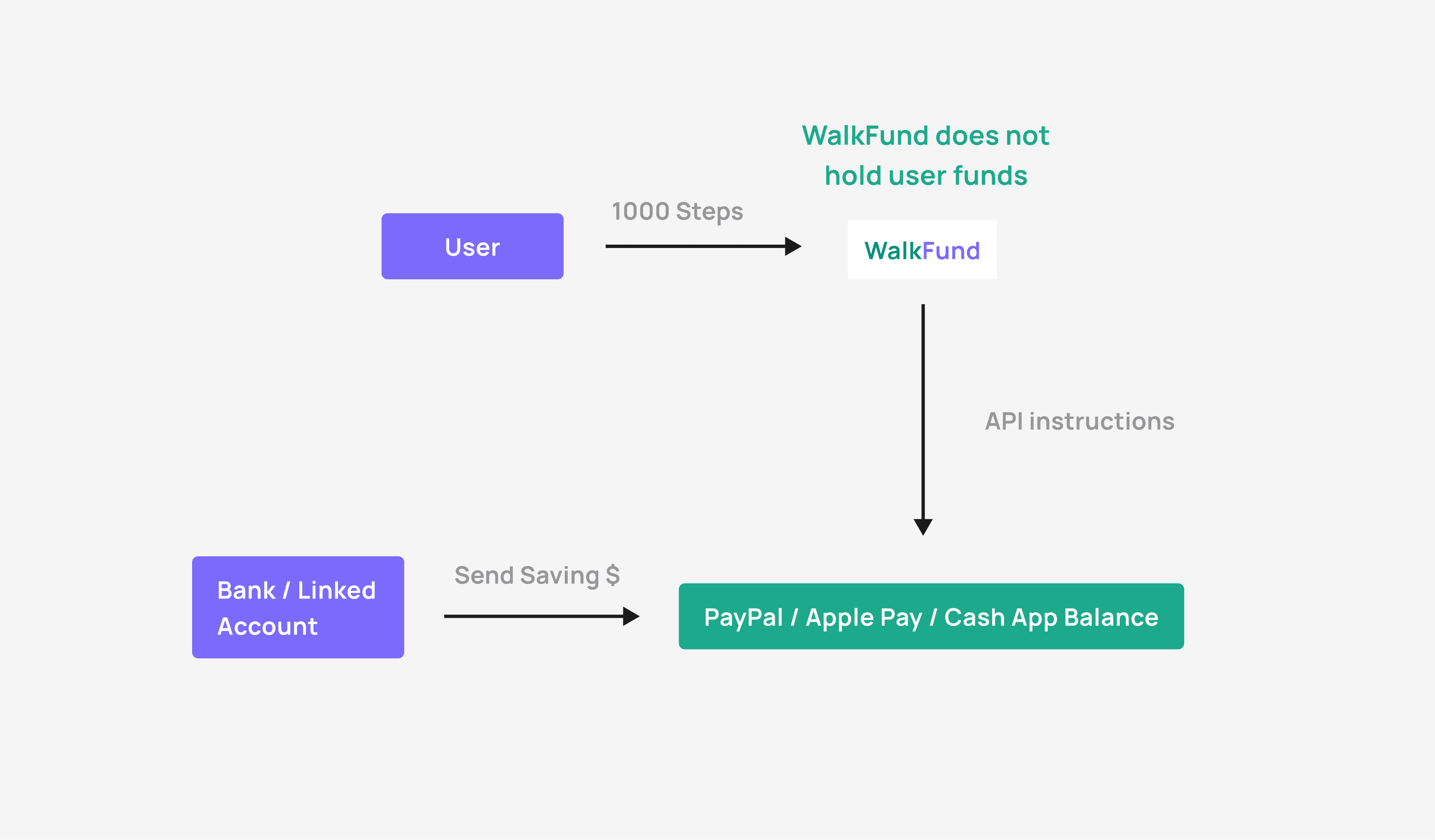
Introducing WalkFund!
Introducing WalkFund!

Core Product Features
Core Product Features
Walking Behavior
Walking Behavior
Walking Behavior
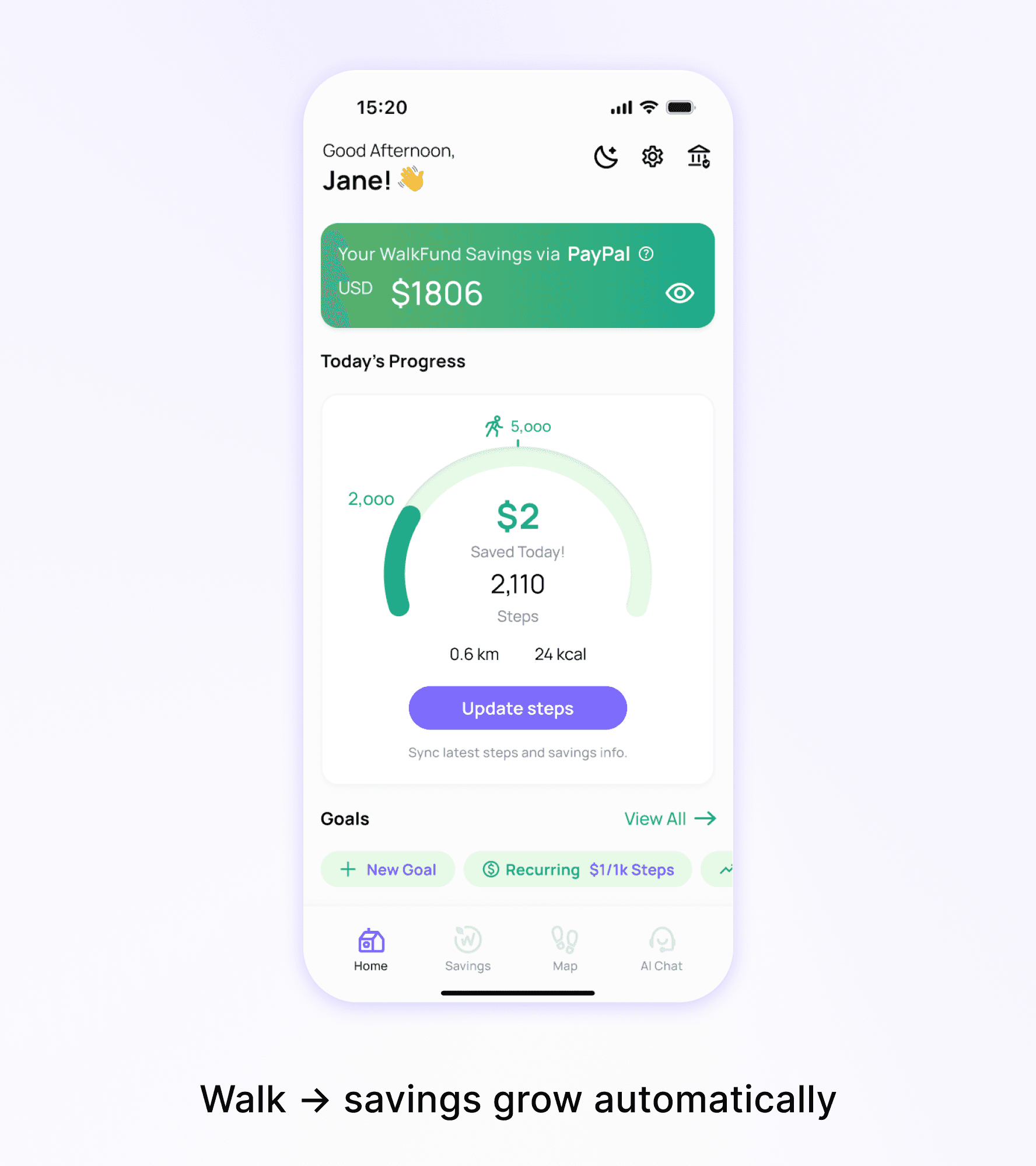
Every step triggers saving
Every step triggers saving
• 1000 steps = $1 saved (Adjustable)
• 1000 steps = $1 saved (Adjustable)
• Automatic transfer
(Apple Pay/PayPal/Cash App)
• Automatic transfer
(Apple Pay/PayPal/Cash App)
Saving System
Saving System
Saving System
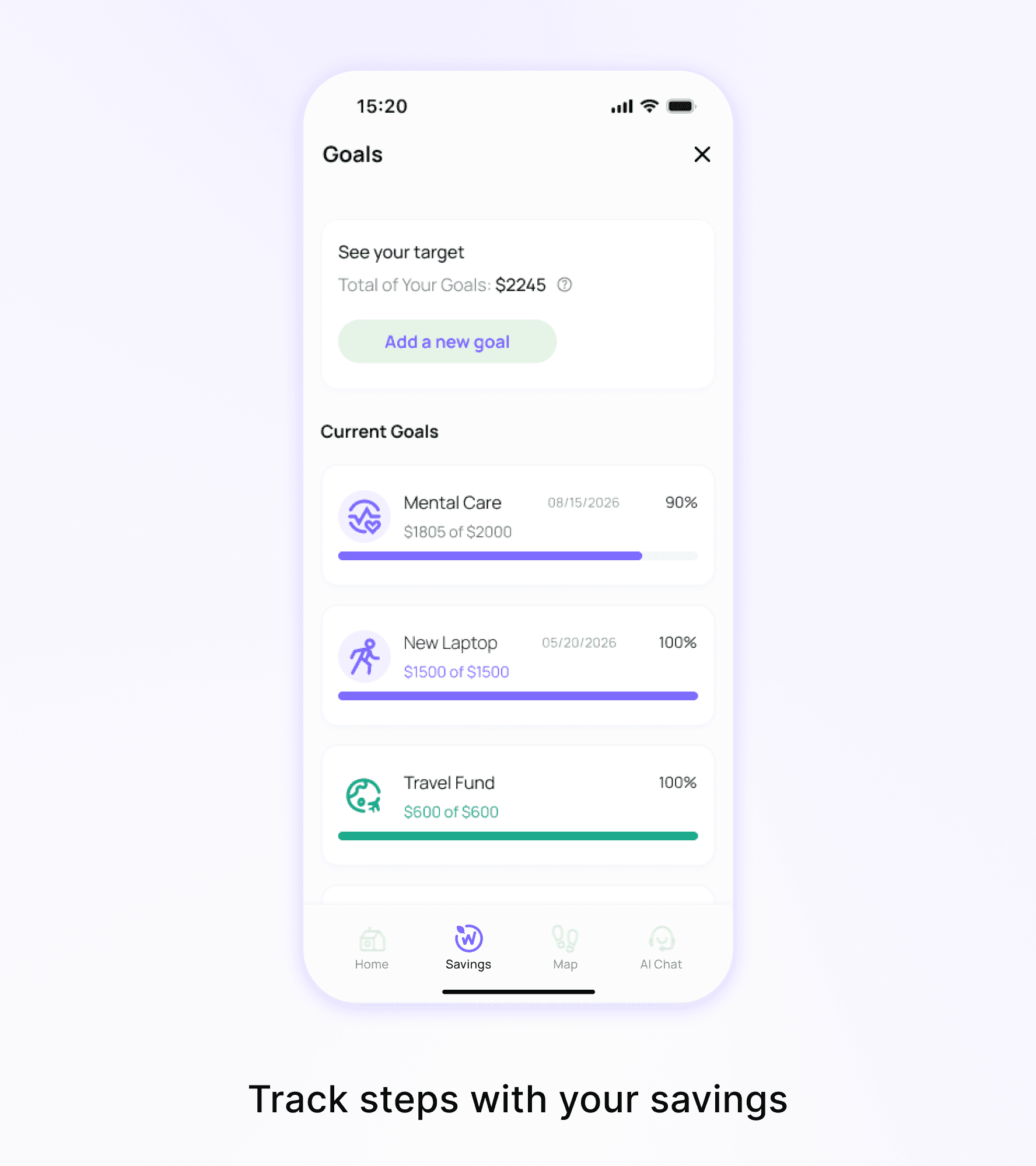
A four-step setup. Saving becomes visible and emotional.
A four-step setup. Saving becomes visible and emotional.
• Goal-based saving
• Goal-based saving
• Progress feedback
• Progress feedback
Nearby Rewards
Nearby Rewards
Nearby Rewards
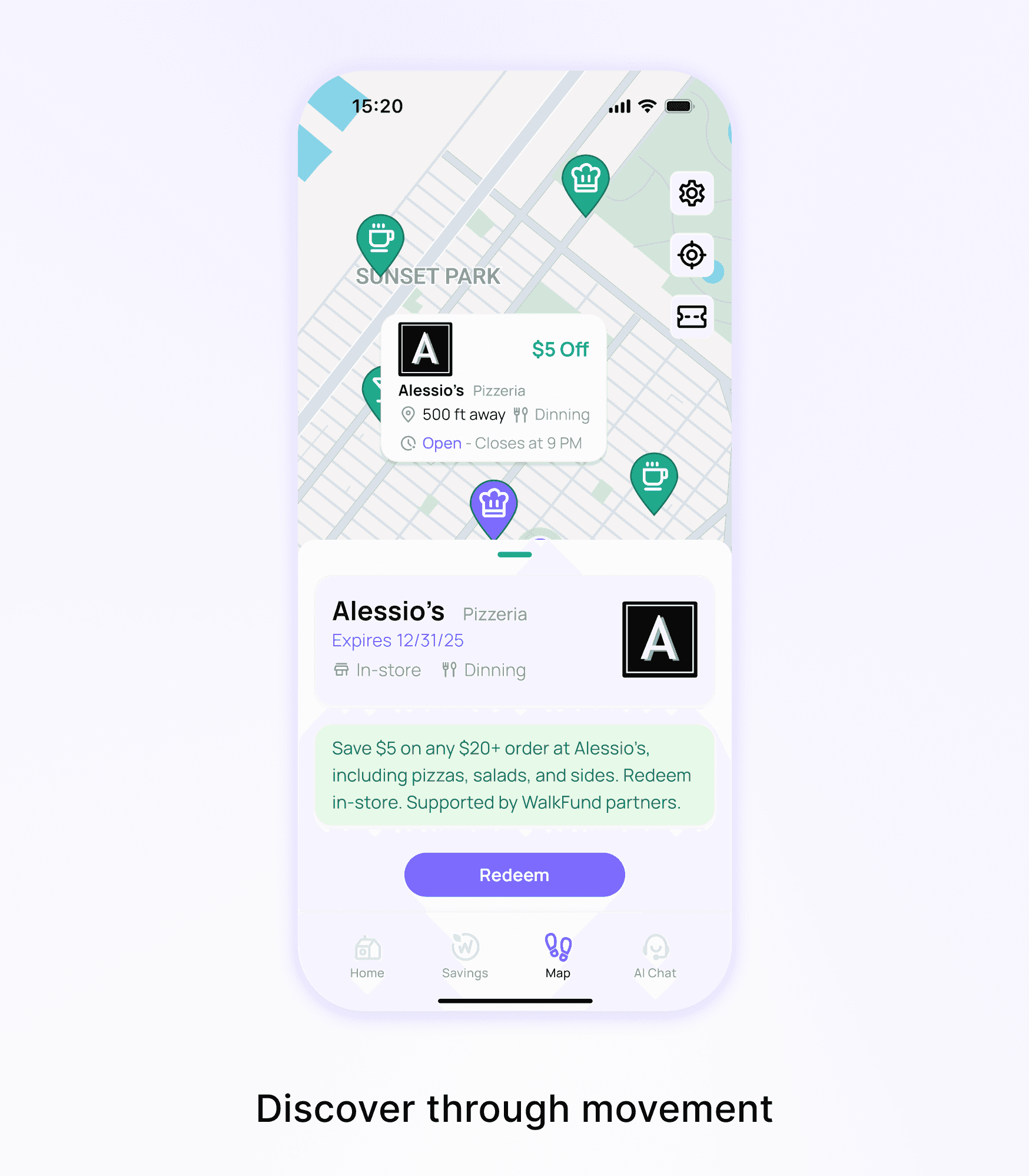
Walk and explore. Connect life with the
local community.
Walk and explore. Connect life with the local community.
• Rewards (local partners)
• Rewards (local partners)
• Neighborhood exploration
• Neighborhood exploration
Micro-Interactions
Micro-Interactions
Night Mood
Night Mood
Completion
Completion
AI Chat
AI Chat
Testing
Testing
Tested with 18 users: Can users quickly understand WalkFund?
Tested with 18 users: Can users quickly understand WalkFund?
Tested with 18 users: Can users quickly understand WalkFund?
Since one constraint on user adoption is the close link with money, our primary goal was to test whether users could understand the product and explain its value.
Since one constraint on user adoption is the close link with money, our primary goal was to test whether users could understand the product and explain its value.
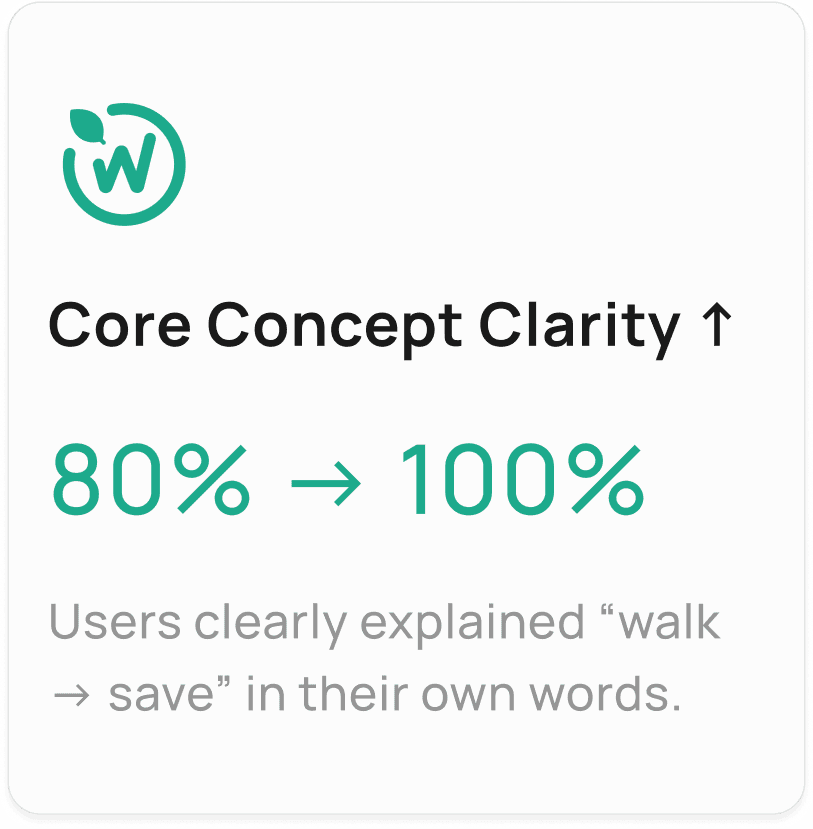
Users understood WalkFund as a way to turn walking into savings, and goals made that progress visible.
Users understood WalkFund as a way to turn walking into savings, and goals made that progress visible.

Challenge
Users struggled to find and start a saving goal.
Users struggled to find and start a saving goal.
Iteration
• Prioritized goal creation as the foundation of the experience.
• Prioritized goal creation as the foundation of the experience.
• Reduced task time from 74s to 15s.
• Reduced task time from 74s to 15s.

Outcomes
Outcomes
WalkFund demonstrates how everyday habits like walking can support sustainable saving habits.
WalkFund demonstrates how everyday habits like walking can support sustainable saving habits.
• Goal setup felt more connected to everyday life.
• Goal setup felt more connected to everyday life.
• Visible progress increased saving motivation.
• Visible progress increased saving motivation.
• Users understood the walk-to-save concept immediately.
• Users understood the walk-to-save concept immediately.


Impact
Impact
By turning walking into a trigger for saving, the concept could help urban professionals build healthier lifestyles and stronger financial habits.
By turning walking into a trigger for saving, the concept could help urban professionals build healthier lifestyles and stronger financial habits.
Reflection
Reflection
Friction wasn’t a setback. It was the signal.
Friction wasn’t a setback. It was the signal.
Early tests revealed friction and confusion, which helped us shape each iteration’s direction. This project reinforced a core point: clarity, simplicity, and a focus on key behaviors matter more than adding complexity.
Early tests revealed friction and confusion, which helped us shape each iteration’s direction. This project reinforced a core point: clarity, simplicity, and a focus on key behaviors matter more than adding complexity.

Read More
Read More
WalkFund iconography system
WalkFund iconography system
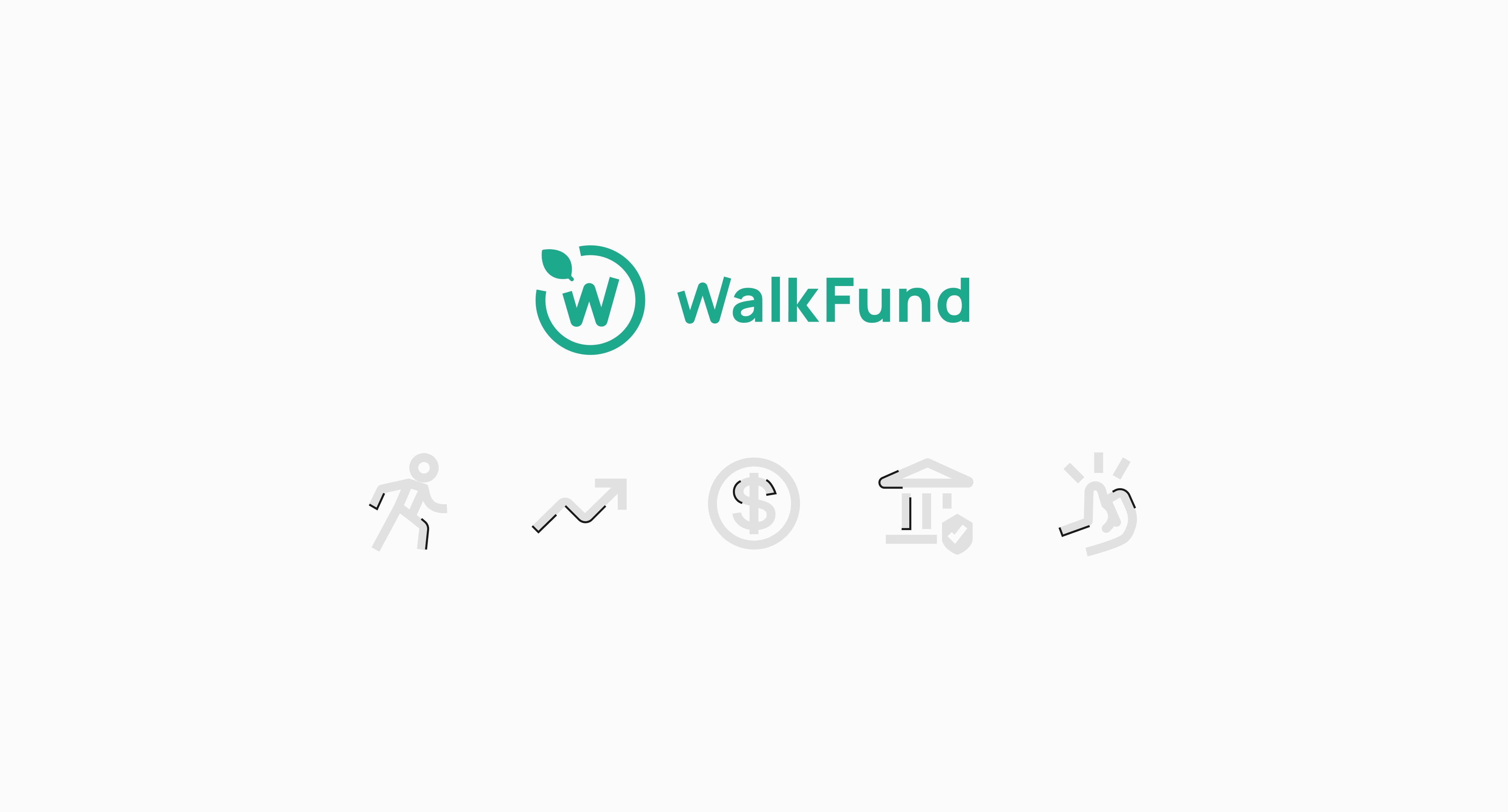
I designed a scalable WalkFund iconography system that translates user behaviors, financial actions, and daily activities into clear visual cues, balancing recognition, consistency, and personality across the WalkFund experience.
I designed a scalable WalkFund iconography system that translates user behaviors, financial actions, and daily activities into clear visual cues, balancing recognition, consistency, and personality across the WalkFund experience.
I’m Kefan! Glad we could meet here.
Why don’t we collaborate, coffee chat or learn more? So let's connect!
© Kefan Shi, 2026



I’m Kefan! Glad we could meet here.
Why don’t we collaborate, coffee chat or learn more? So let's connect!
© Kefan Shi, 2026
I’m Kefan! Glad we could meet here.
Why don’t we collaborate, coffee chat or learn more? So let's connect!
© Kefan Shi, 2026